Label-making app: the best software in 2026
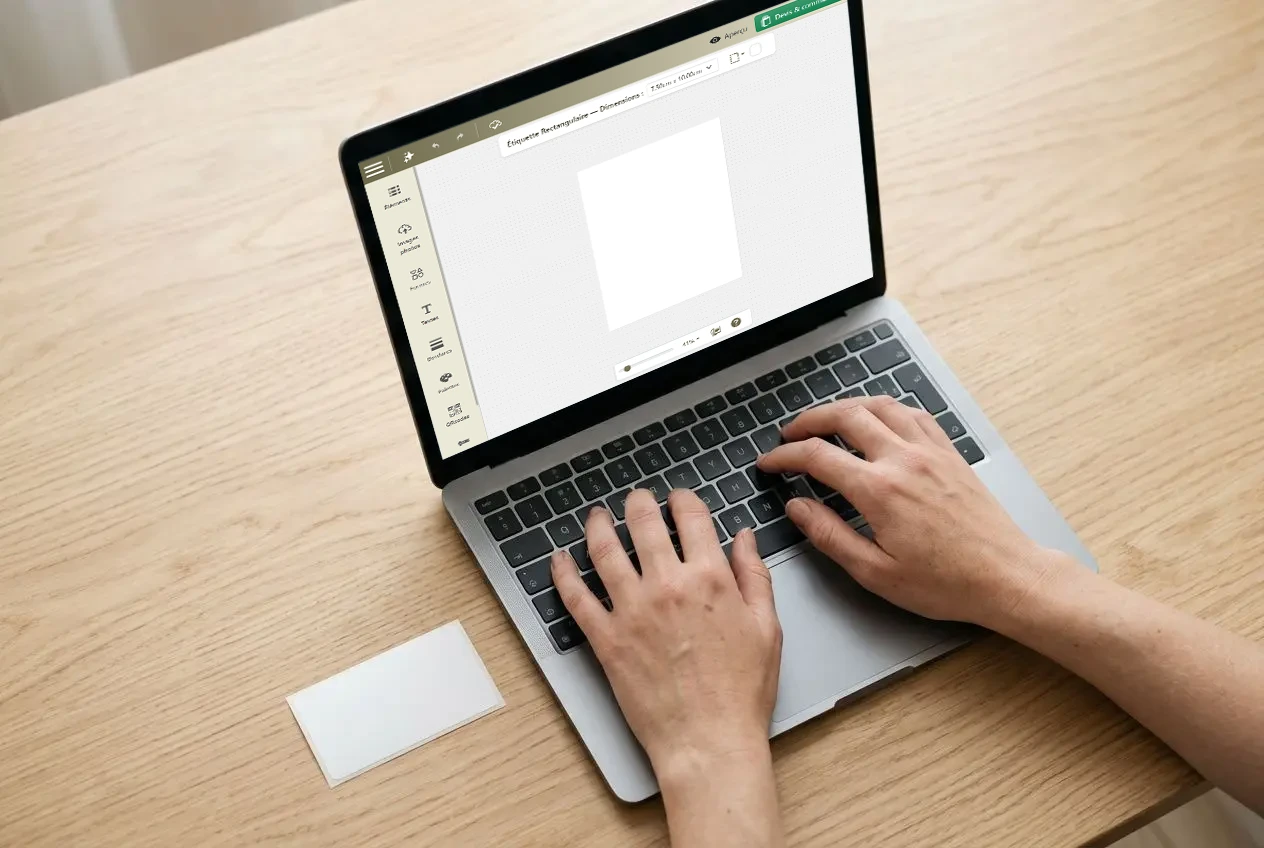
Find the right one label creation app quickly becomes complex given the wide range of solutions available. This guide compares online editors, AI assistants and specialised software to help you design, personalise and print a label without any particular graphic design skills.
Which app should you choose to create a label?
Before you begin, specify the intended use: product, bottle, gift or shipping label. This choice directs you to the right toolVotre Étiquette offers a tutorial for creating your labels accessible directly from a browser.
The criteria for making the right choice
The possibility of create labels online without installation is often the first criterion. A relevant editor should also display an immediate preview, offer a cut suited to the material, and export a PDF or PNG file precise enough for printing. Browser-based access is suitable for occasional users as well as busy professionals.
- Compatibility with the backing : make sure that the formats offered match your bottle, jar, cosmetic container or gift packaging.
- Editing features : a drag-and-drop editor, with layer and font management, and color, covers the majority of needs.
- Barcodes and variable data : the barcodes are essential for managing series or multiple references.
General-purpose tools such as Canva are suitable for decorative labels. Conversely, a specialised web-to-print editor like the one from Votre Étiquette incorporates cutting constraints from the design stage, limiting unpleasant surprises during printing. Votre Étiquette's editor handles the barcodes, QR codes, batch processing and the AI generation and editing, which brings it closer to specialized software in these respects. The choice of material is just as important as the features of the tool.
| Tool type | Recommended use | Barcodes | QR code | AI generation and editing | Batch printing |
|---|---|---|---|---|---|
| Web-to-print editor (Votre Étiquette) | Products, bottles, events | Yes | Yes | Yes | Yes |
| General-purpose tool (Canva) | Decorative labels | No | No | No | No |
| Specialized software (DYMO, Avery) | Shipping, inventory management | Yes | No | No | Yes |
Available formats and models
It is possible to create a label online for free with a no-obligation account. Votre Étiquette lets you save the project after creating a free account. The formats cover bottles, jars, cosmetic products, and gift packaging, in portrait or landscape format depending on the surface.
The templates available are suitable for a range of sectors: wine, craft beer, honey, jam, oil, candles, weddings and personalized gifts. Importing personal images, of logo or logos can then be used to further personalise the result.
Create online for free
The Votre Étiquette editor is accessible from app.votre-etiquette.com, with no download or installation required. Creation follows three steps: choose the right format, define the background, then personalize the text, images and frames. The editor allows you to save the project and come back to it later, particularly for a limited series.
Votre Étiquette guarantees express delivery within 48 hours via Chronopost and offers France-based DTP support to assist with files before printing. Choosing a suitable material, a clear layout, and planning the cutting in advance improves the final result.
Design assistance for your labels
Artificial intelligence is transforming label design. Instead of starting with a template Blank, Votre Étiquette’s AI assistant generates an initial proposal from a natural-language description.
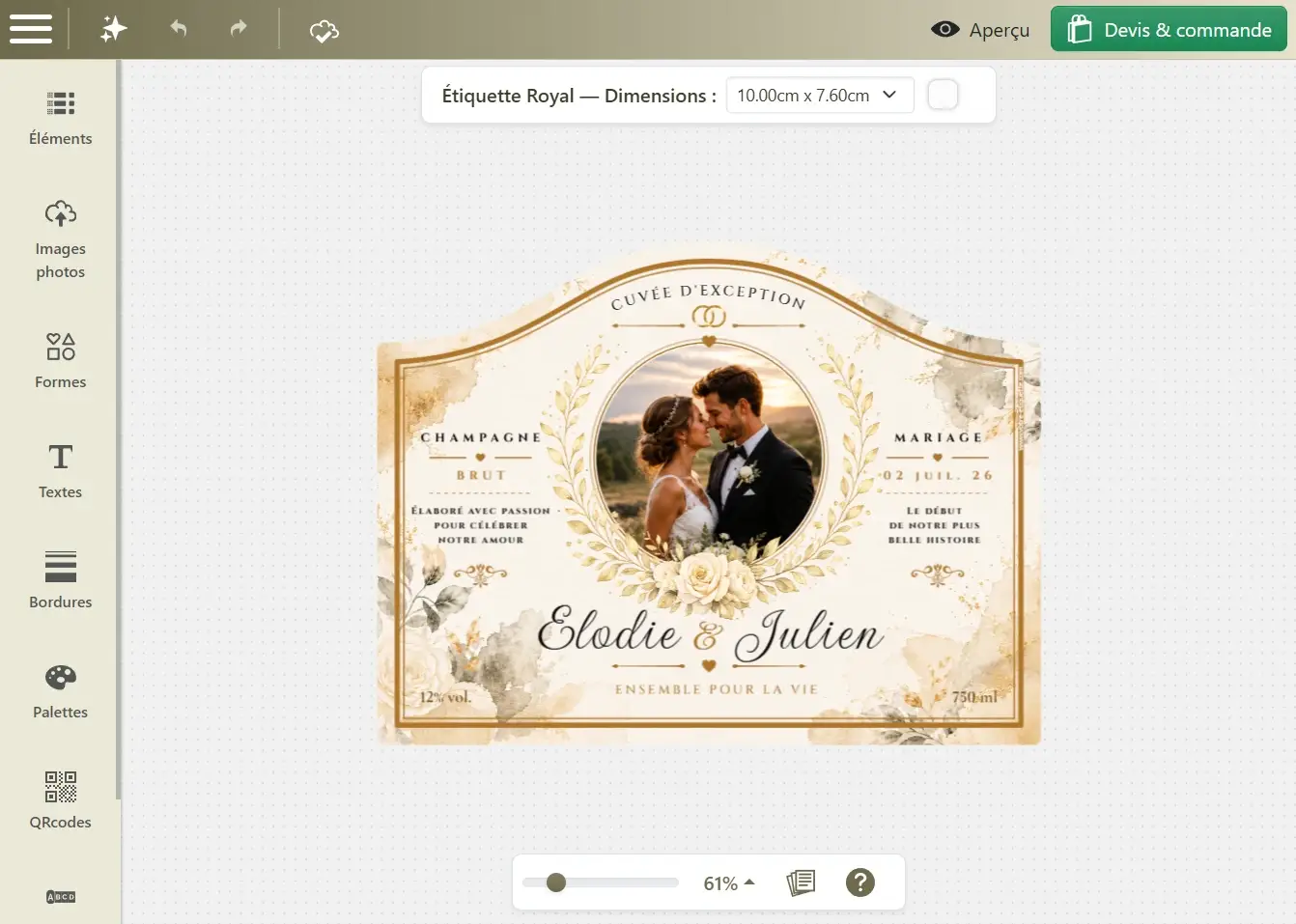
The Custengine AI Assistant
The Custengine AI assistant is integrated into the online editor interface. No module or software to install. Simply describe your project: product, atmosphere, and dominant color. The tool then generates an initial coherent visual proposal.
This approach supports people who wish to create self-adhesive labels customized without knowing where to start, for a jar of honey, a bottle of sparkling wine, or a wedding gift box. It is also suitable for professionals who wish to test a direction graphic before finalizing their order.
Describe and then adjust your design
Unlike a free label template to print in Word, which often involves numerous manual adjustments, the AI assistant produces a complete, editable proposal in just a few seconds. Request another color, a festive or premium style, or even a decorative element: each instruction generates a variation without starting from scratch. You remain in control of the final result.
- General style : elegant, modern, festive or premium, AI adapts the atmosphere and the design for events or commercial purposes.
- Colors and contrasts The palette evolves according to your requirements, while preserving the overall readability.
- Decorative elements : patterns, frames and illustrations can be added or removed using natural language.
- Version comparison : several options are tested side by side to select the finish best suited to the product.
Once the template has been approved, the online editor lets you refine every detail: text, font and layout. The file can then be sent for printing. Votre Étiquette handles production using premium European-made adhesive materials, with a prepress check before production begins.
From logo to product text
Personalization goes beyond visual style. Upload your own logo in the editor, then incorporate it into the AI-generated composition. The text of the product, name, short description, list of ingredients or personal message, then fills in the relevant fields, with fonts suited to each style.
For professionals, including winemakers, brewers, beekeepers, caterers, and brand creators, the assistant helps compare several options before starting production.
Unlike a software complex, Votre Étiquette’s tool requires no installation and remains accessible from a browser. The detail that makes all the difference when printing: an imported image must reach at least 150 DPI at its actual size to ensure a sharp result on the final adhesive material.
Print a label without errors
The quality of a label depends on its design, but also on the print settings and application conditions. A well-prepared file, a suitable material and careful application are all it takes to achieve a professional result, even for a small run produced without complex label design software.
When should you choose label printing software?
The label printing software specialized meet the needs of professionals working with large volumes of barcodes or series generated from a database. You can then download free label software to organize reference numbers and automate printing. These tools work with printers dedicated, such as DYMO, Avery or certain industrial thermal models. Please note that the Votre Étiquette editor also supports barcodes, QR codes, and batch processing directly online.
- Batch printing Automatic generation of series from an Excel file, CSV file or Google Sheets, particularly for multiple references or a large-scale event.
- Printer compatibility : the printers thermal, laser and inkjet printers have different requirements. The software must therefore match the material used.
- Variable data : product names, prices, and tracking numbers are automatically integrated, avoiding repetitive data entry.
For a wedding, artisanal products, gift boxes or a small run, the Votre Étiquette web-to-print editor is still quicker to get to grips with. It allows you to print labels professional-quality results without installing dedicated software, with delivery within 48 hours and desktop publishing support included. This is the preferred option when the finish matters as much as the content.
Prepare a print-ready file
A properly prepared file limits revisions after approval. A Free label template to print using Excel can help organize the data. For printing, the final document must comply with several rules: a safety margin of approximately 3 mm, a minimum resolution of 150 DPI at print size, and text/background contrast meeting AA level or higher. Light pastel backgrounds make product information and legal notices easier to read.
From the Votre Étiquette editor, the file can be exported as a PDF or PNG, with a resolution suited to the selected adhesive material. The range includes European papers designed for different uses.
Apply self-adhesive labels successfully
The bottle must be completely dry and at room temperature before application. A cold surface causes condensation, which can create bubbles under the label and reduce adhesion. To remove an old label, soak it for 30 minutes in warm, soapy water: the adhesive will soften, then any residue can be removed with a cloth soaked in household alcohol. Dry the surface thoroughly before proceeding.
Once the surface is clean, apply the label from the centre outwards to gradually push out the air. This method works equally well on a surface with the old adhesive removed or when applied directly over it; the latter option is faster, but less even. Votre Étiquette allows to order from just a single copy to test the application before launching a full production run, a useful tool for craftspeople and individuals preparing for an event.
For create labels online, the Votre Étiquette app to design labels thus offers an accessible solution, without multiplying the printers nor the settings. The essential elements: format, material, text and finishes are checked from the design stage onward.
Label creation app: answers to your questions
Creating a label online is accessible even without design experience. A clear template and an accurate preview are all you need to order labels that match your medium.